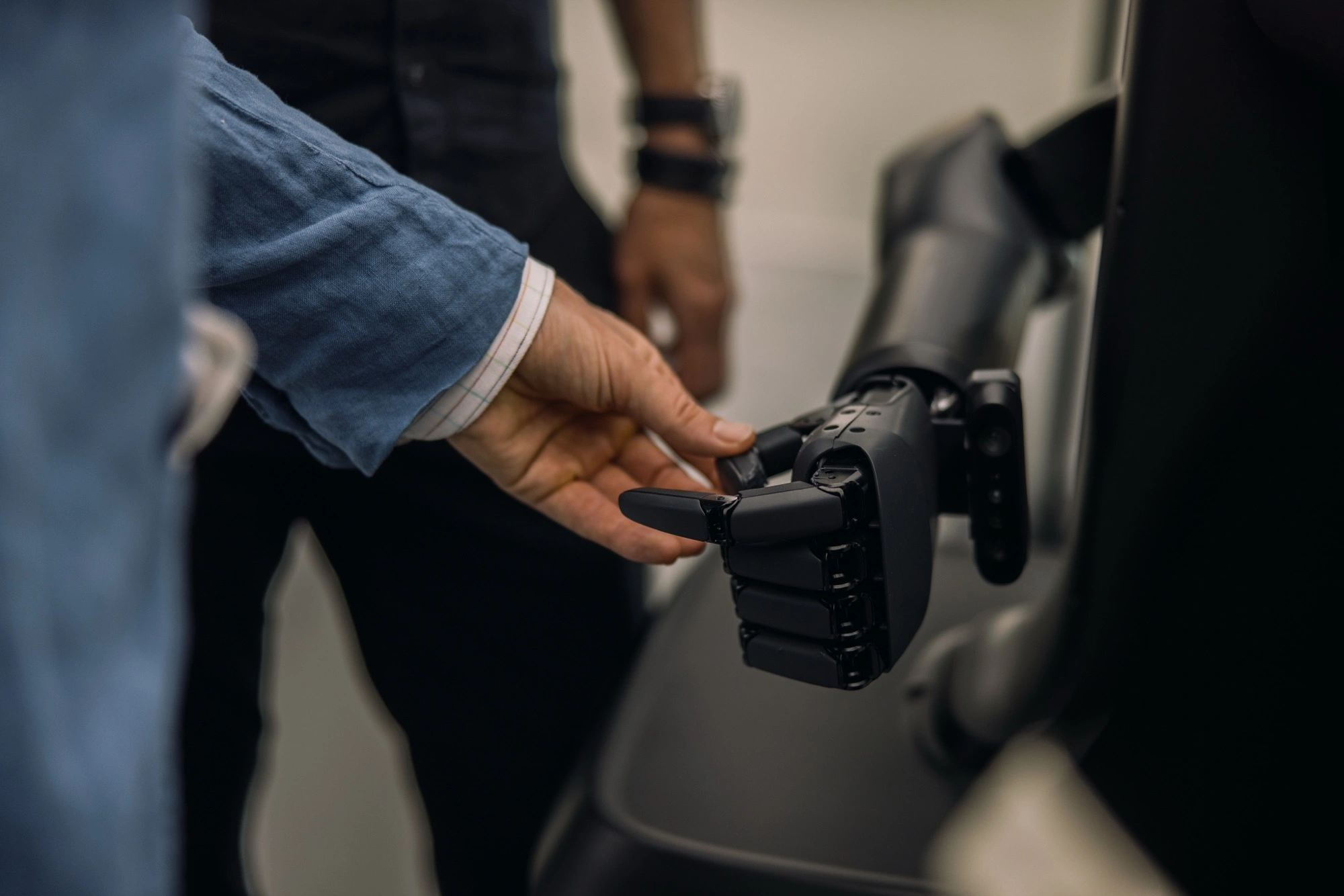
Unitree’s UniStore lets owners of compatible G1 humanoids find and run shared movement routines, including performances. That makes it easier to give another robot a movement it can repeat. A workplace task also needs a way to recognise the right situation, coordinate with equipment and recover when something interrupts the sequence.
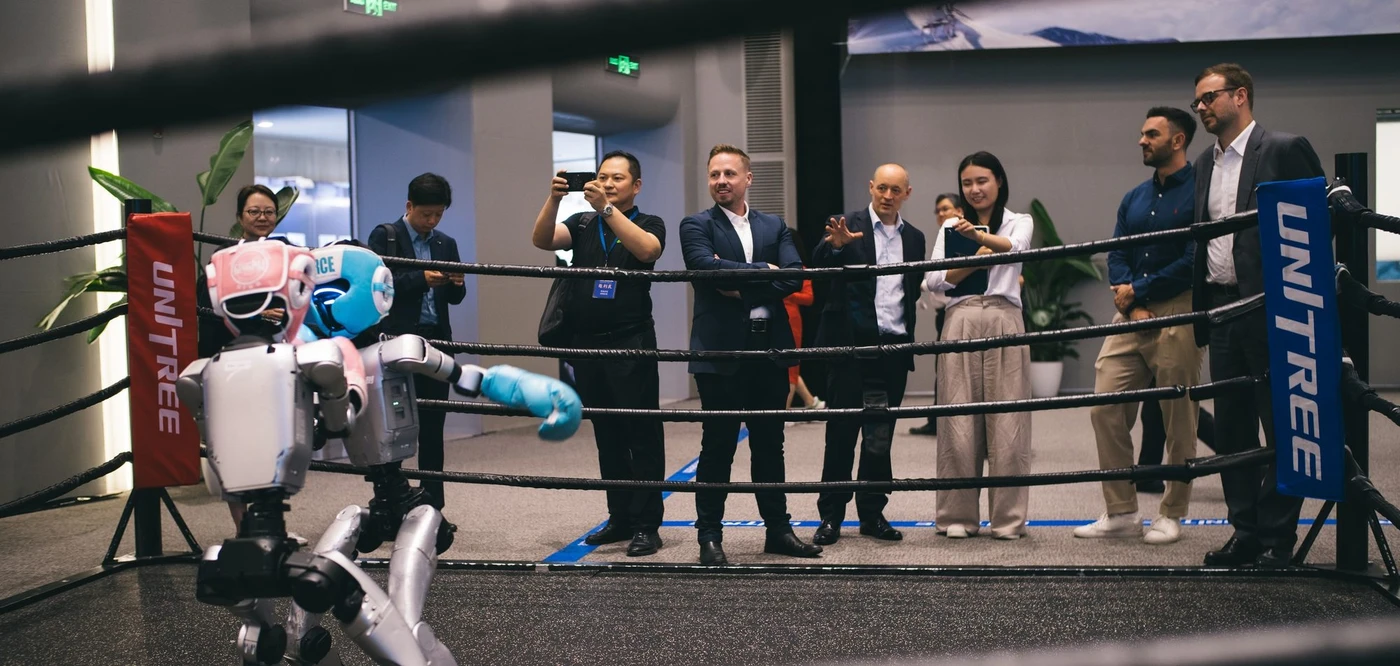
At a Unitree visit, I watched two humanoids box in front of our group. From ringside you could see how much of each robot was involved in a bout, from its gloved hands down to its feet. The ring gave the demonstration a defined space. It also made a useful question visible: how much of what you see comes from the robot’s movement, and how much comes from the way the activity is set up?
My name is Thomas Derksen, founder of Asiabits. When I wrote about UniStore in May, the part that interested me was what happens after a movement leaves the developer’s desk. It can reach a machine somewhere else. For a team deciding whether to buy a robot or build on one, that raises a practical question. Which parts of an application can they reuse, and which parts will their own engineers have to build?
What does Unitree’s UniStore let you download?
UniStore gives compatible G1 owners access to shared robot actions. An action is a behaviour the machine can execute, such as a dance routine. Unitree publishes app and robot firmware requirements for the platform and describes a review process for submitted actions. The G1 product page links to the store directly.
A dance is a useful example because the output is easy to see. If the robot needs to step and turn on a beat, the routine has to coordinate several joints while the machine stays balanced. Sharing that routine gives another owner a way to reproduce the movement on supported hardware. An events team can judge it against an actual performance brief, including how much floor space the robot needs and how it enters and exits the performance area.
There is a difference between distributing an action and distributing the tools needed to write a new one. Unitree’s G1 specifications list separate G1 and G1 EDU configurations and identify secondary development as an EDU feature. They also list optional hand and wrist hardware for EDU. A lab procuring a unit should confirm its exact configuration and test the intended development interface on it. A colleague’s success with another G1 is a starting point for that conversation.
There is a practical reason to save the action and record the firmware alongside it. If a lab uses the same routine to check several machines before handing them to students, the routine becomes a reference test. After an update, the lab can run that same test again and compare the result. That is a small but concrete benefit of sharing a movement before building an application around it.
What turns a robot movement into a workplace task?
A workplace task needs a trigger, a physical action and a way to confirm the result. Take a hypothetical example on a packaging line. A robot picks a sealed carton from a tray and places it in a tote. The arm motion is one part of the job. Someone also has to specify which carton to pick, where it is allowed to land and how the system knows when the tote is ready to move.
Start with the handoff at the tray. If a fixture holds every carton at a known point, the robot can approach a predictable position. If cartons arrive at different angles, the system needs a way to locate the carton and adapt the approach, or the process needs a fixture that aligns them. The same decision comes up at the other end. A tote that is always docked in one position presents a different placement problem from a tote rolled up by hand.
Next decide what counts as completion. A robot can finish moving its arm while the carton is still caught on the rim. A downstream process may need a sensor or another check to confirm the carton reached its destination. If that check fails, the robot and the surrounding equipment need a defined response. A team can learn more by testing this handoff with its actual packaging than by reviewing a catalogue of movements.
There is also a choice about where the work belongs. If the two positions stay fixed, a stationary arm and a fixture may be enough for the transfer. If the job also requires reaching several existing workstations, the ability to move between them becomes part of the comparison. Draw the path from the first signal to the last handoff before deciding which robot to test.
Where do developers get the behaviour a task needs?
Developers can program a structured sequence or collect demonstrations to train a model for a task. Unitree’s teleoperation repository shows how a person can operate a supported humanoid through an XR device and record data. That gives a research team a way to collect examples of the robot being guided through an action. The recording stage and the test of a learned behaviour are separate pieces of work.
For the carton example, a useful recording plan would include the range of positions the robot will encounter. If all the examples start with a carton square to the tray, they tell you little about a carton touching a side wall. An engineer can collect relevant variations, constrain the process with better tooling, or combine the two approaches. The choice depends on which variations occur often enough to matter on the line.
Ask the developer to walk through one run and identify what comes from reusable software and what was set up for that bench. A routine may depend on the same hand, calibration or camera placement. When a pilot moves to a second station, write down the setup that must be reproduced and who can do it. Our guide to how humanoids learn new tasks explains where training and physical validation fit.
What should a buyer ask to see in a demo?
Ask for one complete cycle with conditions your team can describe and repeat. Agree on the object, its starting position and the acceptable destination. Establish who initiates the cycle and which signals the robot uses. A colleague should be able to watch from the side and tell whether the robot completed the task without needing the presenter to explain the outcome afterward.
Record completed cycles, requests for help and time to resume after a stop. A run that finishes quickly after every manual reset can still occupy a person for much of a shift. Track intervention separately from cycle time so operations can estimate the work left for staff. Ask who can retrieve those records and whether a supervisor can see why the last cycle stopped.
Have the host agree to a representative variation before the session. A different carton orientation or an unavailable destination is enough to make the sequence more informative. The test should show how the system responds and how the operator gets it ready for the next cycle. For a lab buying a development platform, the equivalent is a handover test in which its own engineer can install the software, identify its version and repeat the run.
Keep a reference setup when you test an update. Use the same task and record the robot configuration, the behaviour version and the site conditions. When a change improves one part of the sequence, run the full cycle again. A faster approach to the tray can still leave the carton poorly positioned for placement. The test that matters ends where the next process begins.
Who supplies the pieces beyond the robot?
Start with the manufacturer for platform compatibility and with an application integrator for the handoffs to site equipment. In our database of 7,000+ robotics companies, Asiabits counted 214 records in the humanoid robots category worldwide in a November 2026 snapshot. That category helps us identify companies to research. A shortlist for a carton transfer would also need to cover relevant tooling and integration capabilities.
Before naming a lead supplier, assign ownership for any recurring adjustment. If a new carton size needs a different grip, find out who can make the change and who tests the result on site. If a firmware update changes how the robot starts a cycle, decide who checks it before rolling it out. A supplier that can describe the handover in concrete terms gives the buyer something useful to compare across proposals.
A shared routine can save time at the start of a test. The most useful evidence for a workplace decision comes at the other end, when the team running the line can repeat the cycle and recover from an interruption on its own. Bring one task and the conditions that define a successful handoff to the first supplier conversation.
Asiabits uses its robotics directory to research Chinese robot makers and suppliers. For teams evaluating hardware in person, we also plan robotics visits in China around the application so they can discuss the platform and the workcell with the people responsible for each.
Frequently asked questions
What is Unitree UniStore?
UniStore is Unitree’s platform for sharing robot actions. Owners of compatible G1 humanoids can obtain movement routines through Unitree’s app and robot software setup.
Can every Unitree G1 run the same robot app?
Check the action’s compatibility with your exact G1 configuration and software versions. For custom development, Unitree’s product comparison lists secondary development under G1 EDU.
Can I download an app to automate a factory task on a humanoid?
A reusable action can supply part of the movement. The factory installation also needs a way to recognise when and where to act, confirm completion and handle interruptions in coordination with the workcell.
How should I test a humanoid robot app before a pilot?
Run a full cycle using representative objects and handoff conditions. Record completed cycles, operator interventions and recovery time, and keep the tested hardware and software versions with the results.
Get These Insights Every Monday
Join 18,000+ professionals reading Asiabits. Free, every Monday, straight from Shanghai.
Subscribe Free →